Introduction
Sending your artwork for printing is not as easy as it sounds.
You design it, export it, and send it to the printer.
That is when problems can start.
Many people only notice a mistake after the final print arrives.
By then, it is too late.
You may get blurry images, wrong colors, or poor alignment.
These issues usually come from mistakes made before printing.
Artwork for printing matters a lot.
In this guide, we will cover the main mistakes to avoid when you send artwork for printing.
We will also show you how to get it right the first time.
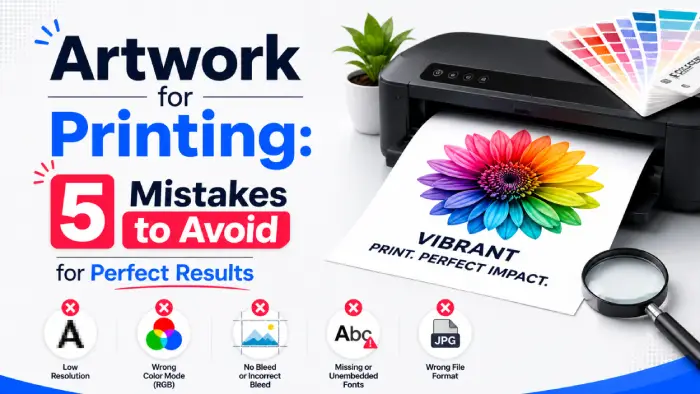
Mistake #1: Using Low-Resolution Images for Printing
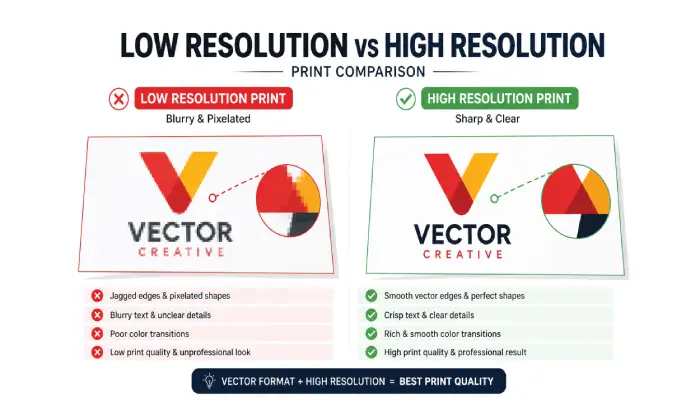
One common mistake is using low-resolution files.
Artwork for printing needs high-resolution images.
An image that looks sharp on screen can look bad in print.
Printing needs more detail than a digital screen.
If your image is low resolution, the final print will look blurry or pixelated.
Low-resolution graphics often lead to blurry, poor-quality prints.
Use high-resolution images for every print job.
Mistake #2: Using Raster Files for Logos and Graphics
If you are printing logos or graphics, this is a big mistake.
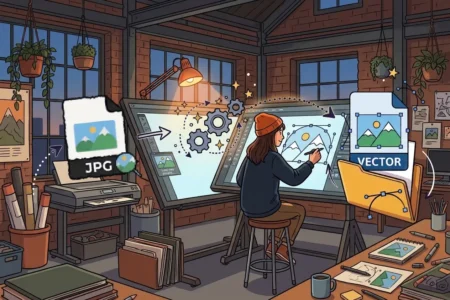
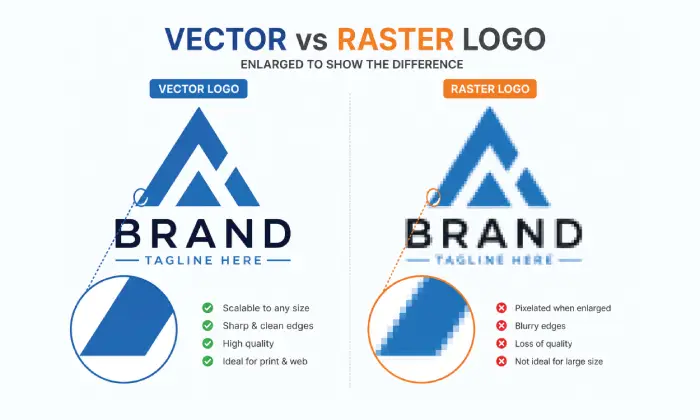
Artwork for printing with logos or graphics needs vector files.
Raster files like JPG or PNG do not scale well.
When you resize them, they lose quality and become blurry.
Vector files, on the other hand, stay sharp at any size.
That is why most printers prefer AI, EPS, or SVG files.
Using vector files helps your logos stay crisp at any size.
Mistake #3: Ignoring CMYK Color Mode
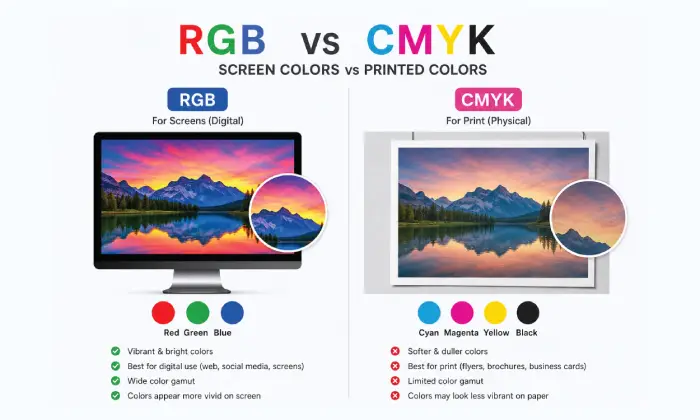
Designing in RGB and printing in CMYK can cause color shifts.
Print artwork should use CMYK.
What you see on screen may not match the print.
Colors may look dull, darker, or slightly different.
To avoid this, prepare your artwork in CMYK if it is meant for print.
Artwork for printing in CMYK is important.
Mistake #4: Missing Bleed and Margins in Artwork for Printing
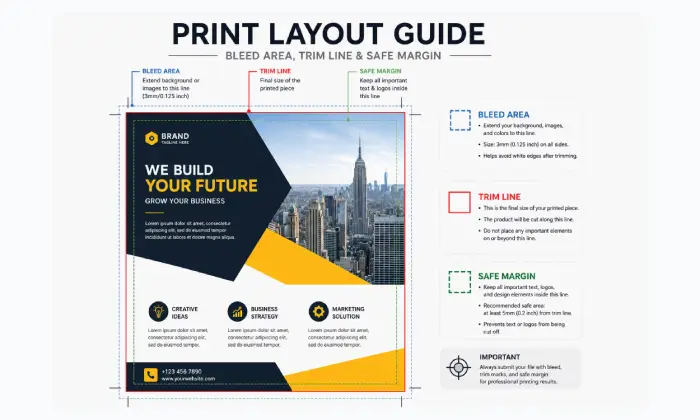
Another common issue is not setting up bleed correctly.
Artwork for printing needs safe margins.
Bleed refers to the space around your design that the printer trims during printing.
Without bleed, you may end up with rough edges where the cut is not perfect.
Margins matter too.
They keep text and other elements from being cut off.
These safe zones help you get a clean finish.
Mistake #5: Choosing the Wrong File Format
Not all file formats work well for printing.
Artwork for printing needs the right file format.
Sending the wrong file can cause problems.
Most printers prefer PDF, AI, EPS, or high-resolution TIFF.
The right format helps you get better results and fewer delays.
Why These Mistakes Matter
Each of these mistakes may seem small.
Together, they can ruin the final result.
Printing is not just about design.
About preparation.
Getting the details right makes a big difference.
Artwork for printing matters.
Always check your artwork before you send it for printing.
Quick Checklist Before Sending Artwork
Before you send your file, make sure:
- Your images are high resolution
- You use vector files where needed
- Color mode is set to CMYK
- Bleed and margins are set correctly
- The file format is print-ready
Artwork for printing needs a careful check.
Final Thoughts
Most printing problems do not happen at the printing stage.
They happen before you send the file.
Taking a few minutes to check your artwork can save time, money, and stress.
Most importantly, it helps your final print look the way you expect.
Proper file prep is key to professional results.
Q&A
Question: Why can an image look good on screen but blurry when printed?
Short answer: Screens and printers handle detail differently. An image may look sharp on a digital screen, but printing needs higher resolution to show clear detail on paper or other material. If the file is low resolution, the final print can look blurry, pixelated, and poor quality.
Question: When should I use vector files for artwork for printing?
Short answer: Use vector files when you print logos, icons, illustrations, or graphics that may need resizing. AI, EPS, and SVG files stay sharp at different sizes, while raster files like JPG or PNG can lose quality when enlarged.
Question: Why is CMYK important for print-ready artwork?
Short answer: CMYK is the color mode used for printing. If artists create artwork in RGB, the colors on screen may not match the printed result. Preparing the file in CMYK helps reduce unexpected color shifts, dull colors, or darker prints.
Question: What are bleed and margins, and why do they matter?
Short answer: Bleed is the extra space around the design that gets trimmed after printing. Margins are safe areas that keep important text and design elements away from the cut edge. Both help prevent uneven edges, accidental cropping, and poor alignment.
Question: What should I check before sending artwork to the printer?
Short answer: Before sending artwork for printing, check that your images are high resolution, vector files are used where needed, the color mode is CMYK, bleed and margins are set correctly, and the file format is right for print, such as PDF, AI, EPS, or high-resolution TIFF.
Ready to Convert Your Images?
Get started with our professional vector conversion service today.
Get a Quote Now