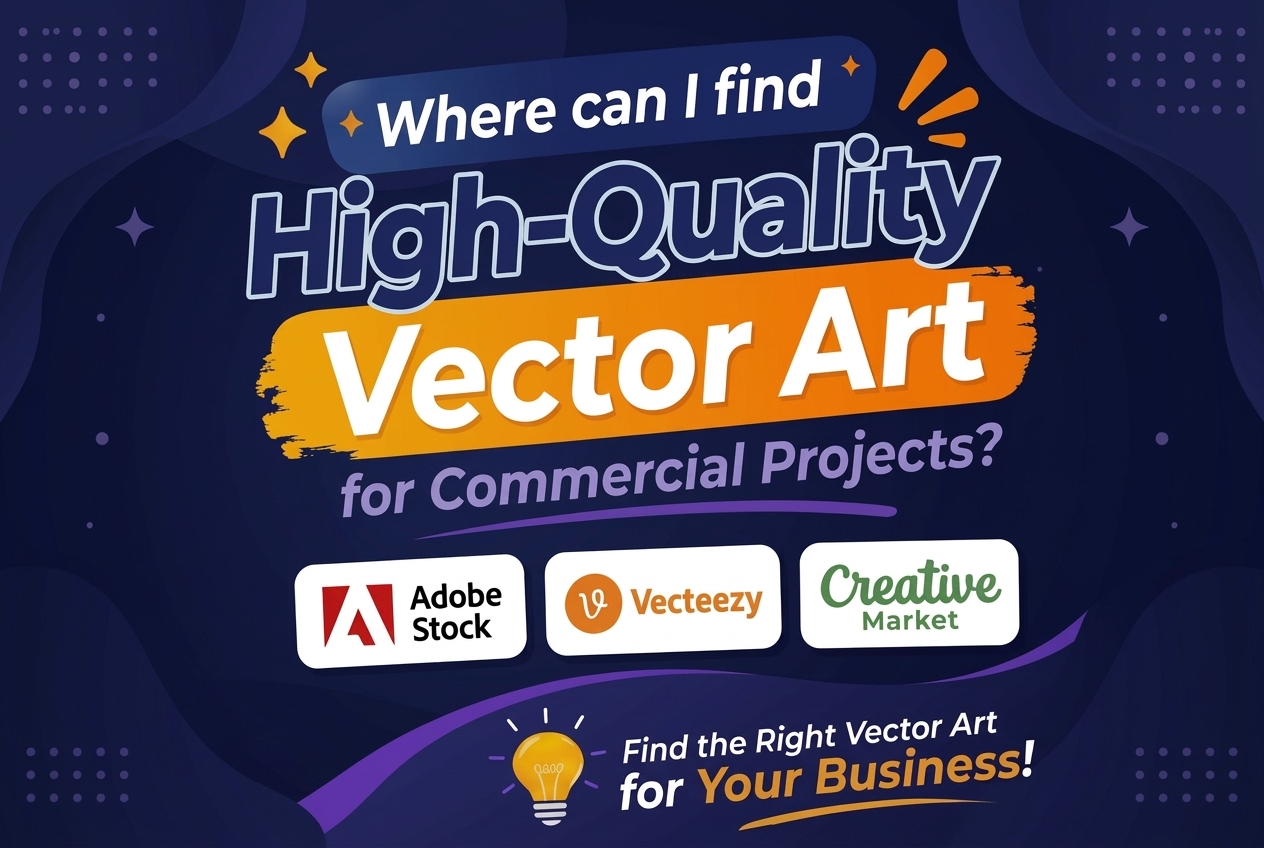
High-quality vector art for commercial projects is available from stock libraries such as Adobe Stock and Vecteezy, as well as design marketplaces such as Creative Market. These sources offer different licensing options, so the right choice depends on both the artwork and your intended use. This article explains where to look, how to evaluate files, and what to check before committing to a download.
Where can I find high-quality vector art for commercial projects?
Start with Adobe Stock for editable stock illustrations and icons, Vecteezy for free and paid vector collections, or Creative Market for graphics sold under tiered commercial licenses. Compare individual assets rather than choosing by platform alone: a suitable file needs the right style, usable formats, and permission for your specific project.
Adobe Stock for editable commercial assets
Adobe Stock offers vector icons, patterns, symbols, infographic elements, and illustrations. Most vectors can be downloaded as AI or EPS files, making it a practical starting point when you need editable artwork rather than a flattened preview. Its collection includes both commercial and editorial assets, so inspect the designation before licensing.
Consider this source when building a presentation, campaign, or publication around adaptable graphics. Before choosing artwork for merchandise, check the applicable license: Adobe distinguishes standard and extended rights, with additional conditions for products where the artwork provides the primary value. A license suitable for an advertisement is not automatically suitable for a poster sold as the product.
Vecteezy for free and paid vector collections
Vecteezy provides free and Pro vector resources, with commercial use available subject to the applicable license. Free content requires attribution, while Pro licensing removes that requirement. Usage limits and restrictions still apply, so “commercial use” should be the beginning of your review, not the end.
Consider Vecteezy when comparing several visual directions before selecting an asset. Read the current licensing agreement alongside the download page, especially for merchandise, client work, and team access. Avoid relying on an older comparison chart or assuming that every paid option grants identical rights.
Creative Market for graphics with tiered usage rights
Creative Market offers Personal, Commercial, and Extended Commercial licenses. Its Commercial license includes requirements about creating an end product that differs significantly from the purchased asset; the Extended Commercial license permits additional uses while retaining restrictions. Choose the tier around your actual deliverable rather than treating the upgrade as optional insurance.
When assessing a graphics pack, look beyond the cover image. Check whether its components support the full project: a decorative collection may suit packaging but lack the symbols needed for an instructional leaflet. Ask the seller about unclear file contents before purchasing.
What license do you need for commercial vector art?
You need a license that explicitly permits your intended business use, including any relevant distribution, resale, modification, or client-delivery requirements. “Royalty-free” does not mean unrestricted or free of charge; Adobe, for example, uses the term for content that does not require a separate license for every permitted use. Always read the terms attached to the asset and license tier.
Treat licensing as part of asset selection, not paperwork to revisit after approval. Before downloading commercial vector art, work through this checklist:
- Describe the final use. Distinguish a website illustration, paid advertisement, product package, physical merchandise, and downloadable template. These uses may receive different treatment.
- Check attribution. Confirm whether credit is required and whether your layout can accommodate the prescribed wording and placement.
- Review limits. Look for restrictions involving copies, sales, audience size, applications, or other distribution measures relevant to your project.
- Check client and team rights. Establish who holds the license, who can access source files, and whether a client needs separate permission for later reuse.
- Examine redistribution rules. Permission to incorporate artwork into a finished design does not necessarily permit sharing or reselling the original file.
Be especially careful with editable products. A flattened promotional graphic and a template that exposes the underlying illustration are different deliverables. Creative Market, for example, prohibits certain forms of asset redistribution even when the asset appears inside another product. If your use is unclear, request written clarification from the provider before production.
Evaluate quality beyond the preview image
Vector graphics use paths and mathematical instructions rather than a fixed grid of pixels, allowing vector elements to scale without becoming pixelated. Common formats include AI, EPS, SVG, and PDF. However, your purchasing decision should also account for how easily you can edit the artwork and use it in your actual layout.
For premium vector graphics, apply these practical checks:
- Request the right format. Confirm that the package includes a format your editor supports, not just JPEG or PNG exports. Adobe distinguishes these raster formats from formats that preserve vector content.
- Inspect editability. If possible, open a sample and try selecting, recoloring, and rearranging individual elements. Decide whether the structure fits your workflow.
- Test the intended size. Place the artwork at its final dimensions. Assess whether fine lines, small details, and crowded shapes remain readable.
- Compare the whole set. Review stroke weights, corner styles, proportions, and perspective across multiple illustrations, not just the strongest example.
- Check supporting requirements. Look for notes about fonts, linked resources, software versions, or effects that might complicate handoff.
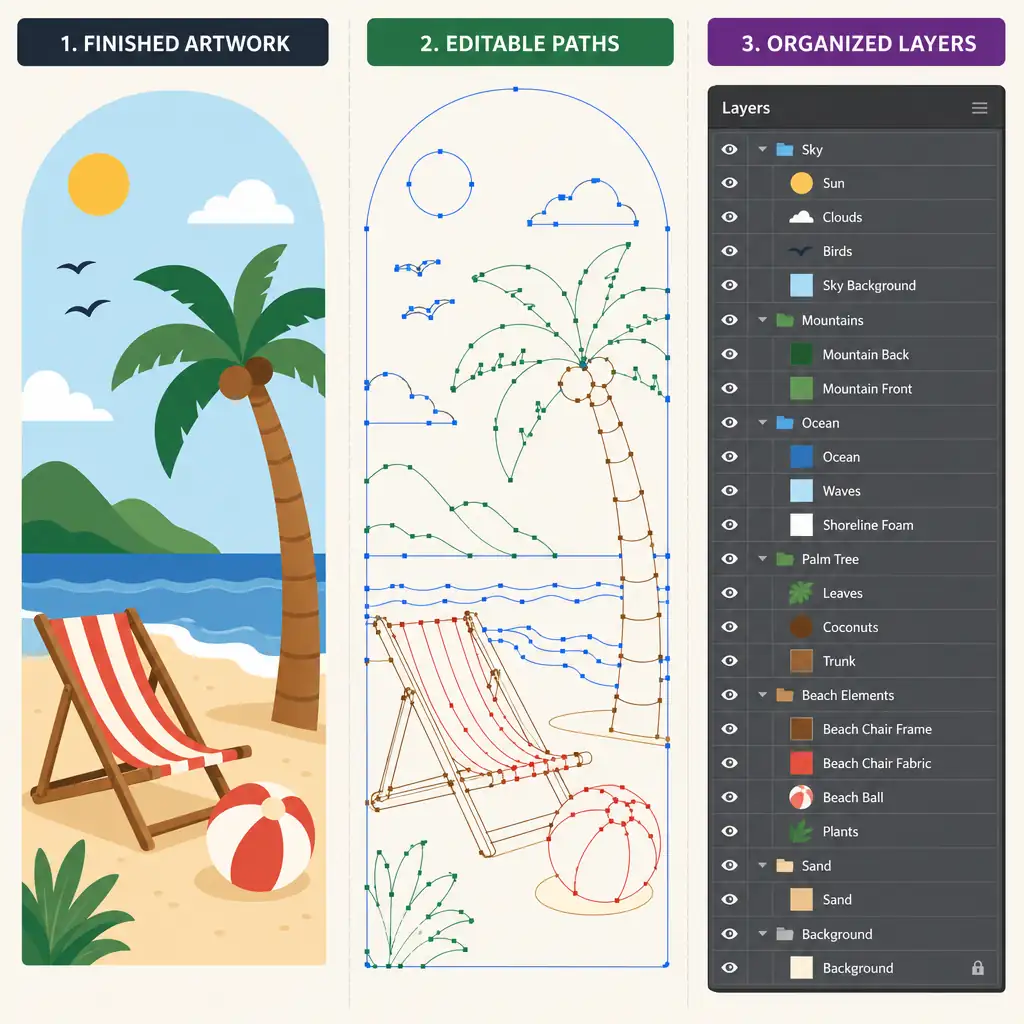
For example, imagine choosing illustrations for a business presentation. A detailed scene may look impressive on the marketplace but become distracting beside dense charts. Try one candidate on a real slide before approving a whole collection, and judge it against your content rather than its standalone appeal.
Keep your evaluation specific. Instead of asking whether an illustration looks “professional,” ask whether its colors are easy to adapt, its subject is immediately understandable, and its composition leaves enough room for your message.
When should you choose vector design services instead?
Choose vector design services when the project needs a specific visual system, original subject matter, or deliverables that available stock cannot adequately support. Consider commissioning artwork when repeated searches produce near-matches that would require extensive reconstruction. Set the required usage rights and file deliverables in writing before work begins.
Start with the business problem, not simply a preferred style. A useful brief might explain that you need a coordinated set of onboarding illustrations, each depicting a particular action, with room for translated text. That gives the designer something concrete to solve and gives you a clearer basis for reviewing proposals.
Include these details in your brief:
- Scope: The number of illustrations, their subjects, and the relationship between them.
- Applications: Where the artwork will appear and which sizes or layouts it must accommodate.
- Deliverables: Editable source files, required exports, and any organization or naming conventions.
- Review process: Approval stages, revision expectations, and who makes final decisions.
- Rights: Requested commercial uses, exclusivity, modification permissions, and any third-party assets to disclose.
For a logo or other identity-critical asset, make originality and rights review a separate approval step. Do not assume that paying for custom work automatically settles every ownership or trademark question.
Build a repeatable sourcing workflow
Before browsing vector art resources, write a short project specification. Record the subject, preferred style, required formats, intended channels, and whether the finished item will be sold. Use that specification to rule out unsuitable candidates before spending time on visual comparisons.
Then follow a simple sequence:
- Search precisely. Try phrases such as “editable botanical packaging illustration” rather than only “plant vector.”
- Shortlist a few candidates. Compare visual fit, file contents, and licensing together.
- Test one representative asset. Check it in the actual layout and editing software before committing to a collection.
- Document the selection. Save the receipt, asset identifier, creator information, and applicable license with the project files.
- Review the final application. Confirm that the approved use still matches the delivered product, especially if the scope changed.
Choose for fit, not download volume
The most useful source is the one that meets your visual, technical, and usage requirements without unnecessary rework. Start with a focused shortlist, test the files in context, and verify the license before publication. Whether you choose royalty-free vectors or commission original artwork, make the decision around the finished project—not the appeal of the preview.