To purchase royalty-free vector illustrations for marketing materials, choose artwork from a stock marketplace, confirm that its license covers your campaign, and download a format your design software can edit. The key is buying the right usage rights—not simply finding an attractive image. This guide explains how to compare sources, distinguish advertising permissions from merchandise rights, and select files that work across your marketing channels.
What should you check before buying marketing vectors?
Before purchasing stock vector images, confirm three things: where the artwork will appear, whether the license permits that use, and whether the supplied files suit your workflow. Advertising, printed collateral, products for resale, and editable templates can carry different permissions. For example, Shutterstock distinguishes standard advertising uses from merchandise and template uses covered by its Enhanced License.
Write a short project description before browsing. “An illustration for our website and promotional flyer” is more useful than “commercial use.” Include whether you might later place the same design on products for sale.
Use this buying checklist:
- Placement: List websites, emails, social ads, packaging, flyers, and any merchandise separately.
- Scale: Estimate your print quantity and identify any relevant audience or distribution limits.
- Access: Identify who needs to download, edit, or receive the source artwork.
- Deliverables: Decide whether you need editable artwork, finished images, or both.
- Future plans: Flag possible product sales, template distribution, or additional client projects for review.
Keep this description beside your shortlist. It gives you a consistent basis for comparing licenses instead of guessing from labels such as “premium” or “commercial.”
What does royalty-free mean for vector illustrations?
Royalty-free means a license allows repeated uses within its terms without requiring a separate royalty payment for every use. It does not mean the artwork is necessarily free to download, unrestricted, or exclusively yours. Adobe describes its stock collection as royalty-free, while Shutterstock explicitly distinguishes licensing content from purchasing ownership or exclusive rights.
That distinction matters when comparing royalty-free graphics. You are choosing permissions attached to artwork, not buying the copyright outright. Other customers may license the same stock illustration, so consider whether a shared visual is appropriate for your campaign.
Standard versus extended permissions
A standard license can cover everyday marketing, while an extended or enhanced license may add merchandise rights or higher reproduction allowances. Names and permissions vary by provider, so compare the actual terms rather than assuming equivalent labels mean equivalent coverage. Adobe and Shutterstock both distinguish between license tiers, but their categories are not interchangeable.
Planned use | What to verify before purchase |
|---|---|
Website, email, or social advertisement | Commercial advertising permission and applicable restrictions |
Printed flyers or brochures | Reproduction limits and whether your total distribution fits |
Illustrated shirts, mugs, or tote bags | Merchandise and resale permission for that product |
Downloadable design templates | Template distribution rights and restrictions on extracting artwork |
A permanent business logo | Trademark permissions; ordinary stock licenses may exclude this |
Shutterstock, for example, permits merchandise under its Enhanced License but not its Standard License. Its Enhanced License still does not cover logo and trademark use. An upgrade therefore expands specified rights; it does not remove every restriction.
Where can you find royalty-free vector illustrations?
Adobe Stock and Shutterstock offer paid royalty-free illustrations and vectors, while Vecteezy offers free and paid licensing options. Freepik also provides free and premium stock content. Compare these sources by the permissions and files available for your chosen asset, rather than treating any marketplace as automatically suitable for every project.
For a practical shortlist, consider these differences:
- Adobe Stock: Review the asset’s available license and Adobe’s terms, particularly if your project includes resale or distribution beyond ordinary advertising.
- Shutterstock: Compare Standard and Enhanced permissions. It offers image subscriptions and on-demand packs, giving occasional buyers an alternative to recurring plans.
- Vecteezy: Check the specific free or paid tier. Its Free License requires attribution, restricts print quantities, and does not permit products for resale.
- Freepik: Review the download’s usage conditions and attribution instructions. Its free stock resources require author attribution; premium access provides different attribution arrangements.
For budgeting, compare the total cost of your intended project. Include the required license, subscription commitment, and any editing work you expect to outsource. A lower download price is not useful if the permission or artwork fails your brief.
Free downloads deserve the same scrutiny as paid artwork
Free illustration downloads can suit a limited-budget campaign, but “free” describes the download price—not unlimited permission. Vecteezy’s Free License, for instance, allows some commercial projects with mandatory attribution and specific limits. Freepik likewise requires attribution for its free assets.
Before selecting free vector art, decide where a required credit would appear. Would it fit naturally on your flyer, landing page, or campaign credits? If the proposed placement is unclear, ask the provider before publishing rather than assuming a hidden credit is sufficient.
Apply the same review to search results advertising “vector artwork free.” Open the original asset page, read its license, and check the actual download contents. Save the relevant terms alongside your project records so the next person handling the campaign knows what you selected.
Choose artwork for the whole campaign
High-quality vectors should fit your layout and visual identity, not just look appealing in a preview. Compare the illustration against your intended headline, background, and smallest placement. Reject candidates that require extensive rebuilding to make the composition work.
For themed campaigns, make your searches more specific:
- Search for royalty-free rabbit vector illustrations with an intended style, such as simple outlines for a spring promotion.
- Look for royalty-free pig vector illustrations with a clear concept, such as a piggy bank for a savings campaign.
- Compare royalty-free teddy bear vector illustrations by expression, pose, and available space for your message.
- To find the best fox illustrations, royalty-free vector graphics, and clip art for your project, specify a woodland, geometric, or playful style.
Treat “best” as a fit question, not a ranking claim. Put a few candidates into the same rough layout and compare them there. If you need several animals, search within one coordinated collection before mixing unrelated vector clipart.

Check the downloadable vector files
Common vector formats include AI, EPS, SVG, and PDF. Vector artwork can scale without the pixelation associated with enlarging raster images, making it useful across different output sizes. However, compatibility and editability still depend on the supplied file and your software.
Adobe Illustrator supports these common formats, while exports such as JPEG and PNG rasterize vector content. Before buying, check the listed formats rather than relying on the word “illustration.” A raster preview is not a substitute for editable vector artwork.
Ask whether you can change colors, isolate the subject, and remove unwanted backgrounds. If these details are not documented, contact the seller or choose a better-documented asset. Avoid making your deadline depend on an unverified file feature.
Complete the purchase and prepare your files
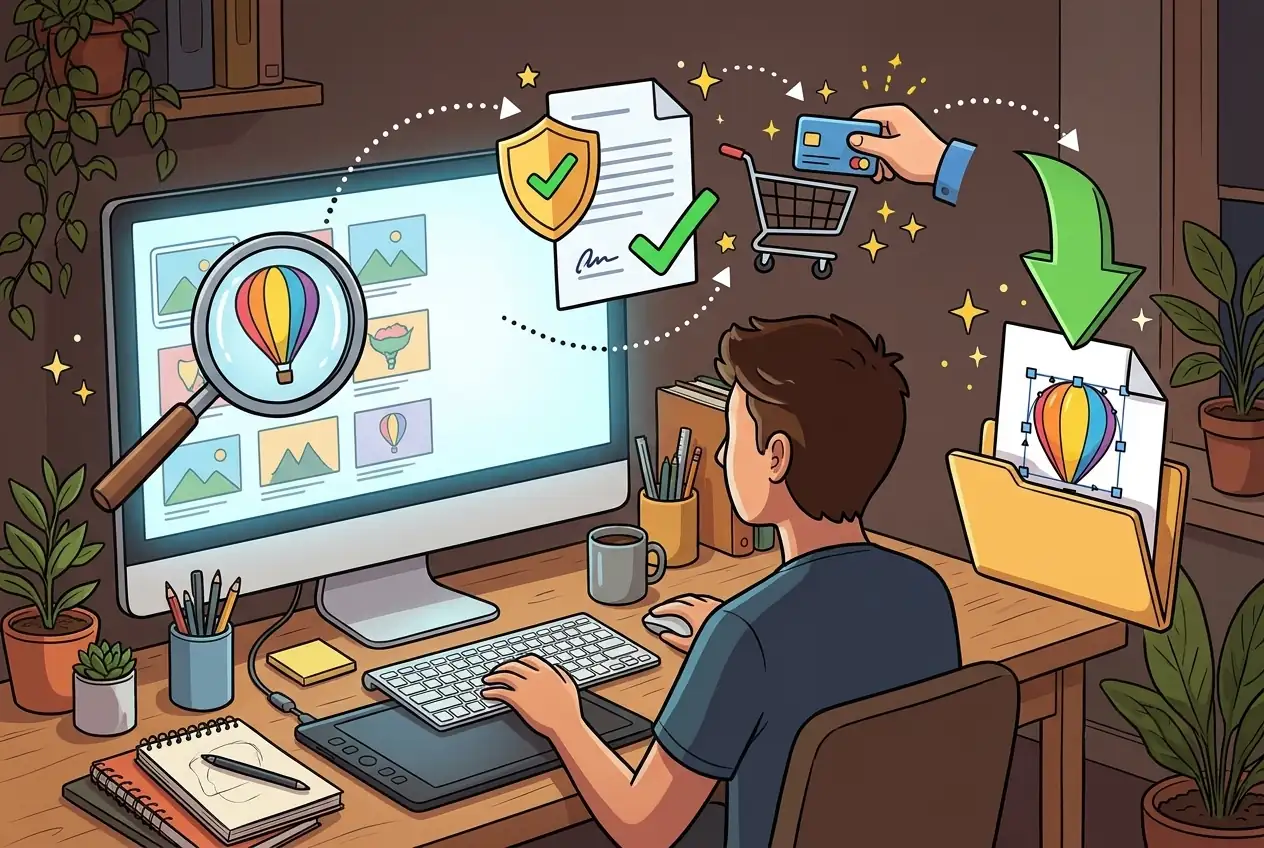
Once you have a suitable illustration, use a repeatable handoff process. Keep the licensing decision connected to the artwork rather than leaving it in someone’s inbox. This makes later campaign updates easier to review.
- Confirm the exact asset and license. Recheck the selected tier against your written project description before checkout.
- Review the purchase arrangement. Check account ownership, billing commitments, download allowances, and any team-access conditions.
- Save your records. Keep the receipt, asset identifier, download date, license documentation, and any written clarification from support.
- Download and inspect the files. Open the editable version immediately and test the changes your campaign needs.
- Customize a working copy. Preserve the original, then adjust the palette, crop, and composition for each placement.
- Check the finished output. Review small-screen readability and request a print proof where appropriate. Keep required credits attached to the final deliverables.
For an unclear resale, client-handoff, or template use, pause before production. Send the provider your specific scenario and request written clarification rather than buying a broader license on assumption.
Buy for the use, not just the image
Start with your campaign requirements, shortlist suitable royalty-free vector illustrations, and verify the permissions and file contents before paying. Whether you choose paid artwork or free downloads, preserve your records and test the asset early. A useful purchase is one your team can confidently adapt, publish, and manage.